
Lumion for
SketchUp
Lumion for
SketchUp
The fastest path from SketchUp model to client-ready visualization
The fastest path from SketchUp model to client-ready visualization
SketchUp is built for speed. Lumion helps you turn fast-moving ideas into clear, compelling visuals from first concept to final presentation. Make intent clear early, produce client-ready visuals, and keep feedback in one place.

Test materials, light, and form directly inside SketchUp with the Lumion View plugin for real-time rendering.
Buy Lumion View →
Create presentation-ready images, animations, and panoramas with full context and atmosphere.
Buy Lumion Pro →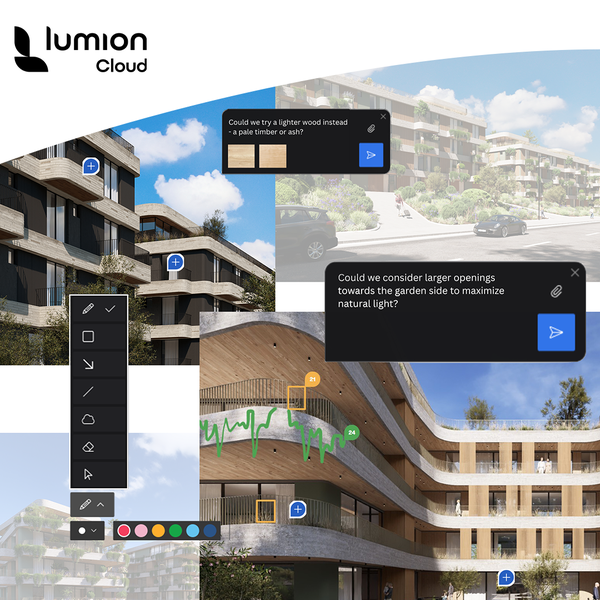
Share designs, gather feedback, and create faster with AI in one visual collaboration workspace.
Included in all Lumion plans.
Fine-tune your design right inside SketchUp. The Lumion View plugin gives you a fast, responsive way to visualize designs as you create them.
See your model in a ray-traced viewport, adjust lighting and materials as you work. Render 4K images in seconds. Upload directly to Lumion Cloud for easy sharing.
Adjust the sun, time of day, and brightness to understand how light shapes your design throughout the day.
Visualize your SketchUp PBR materials in a fully ray-traced environment. Enhance the appearance of glass, water, and emissive materials using the property sliders.
Easily add and tweak artificial lighting with point, spot, area, and line lights.
Quickly apply different styles to your SketchUp project—like clay, wood, styrofoam, or glossy—to create instant, shareable renders.
When your SketchUp design is ready for more context, realism, and storytelling, Lumion Pro gives you all the creative tools to take it further.
Connect SketchUp to Lumion Pro with the free LiveSync plugin and see model updates reflected in real time as you work.
Your lights and material settings carry over automatically, so you can continue designing without any rework.
Create realistic site context with 10,000+ built-in assets from fine-detail nature, objects, and entourage to fully customizable PBR materials.
Real-time ray tracing updates light, reflections, and shadows instantly, so your previews match the final render. Make confident refinements faster, with fewer surprises at final output.
Create high-quality images, animations, and 360 panoramas for presentations and reviews. Upload directly from Pro to Cloud to share with teams and clients.
When you need final-resolution image output, upscale up to 16K with built-in AI upscaler.
Lumion Cloud gives you a simpler way to review visuals with your team and clients. Upload directly from View and Pro, share by link or QR code, and keep feedback, revisions, and approvals together in one place. And with built-in AI tools, you can also upscale images and generate ready-to-use PBR materials from real-world references.
Included for free with all Lumion plans. See how it works.
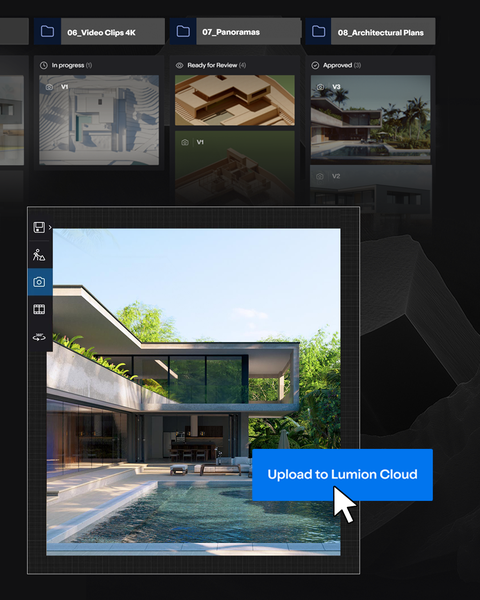
Upload renders straight from View and Pro and keep every project organized.
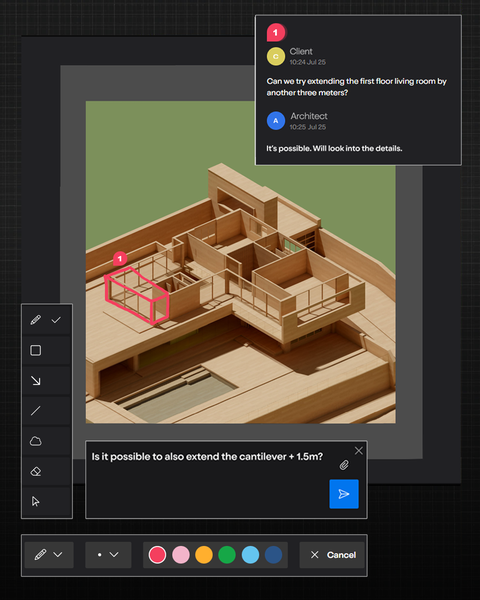
Draw, highlight, and comment with simple markup tools.
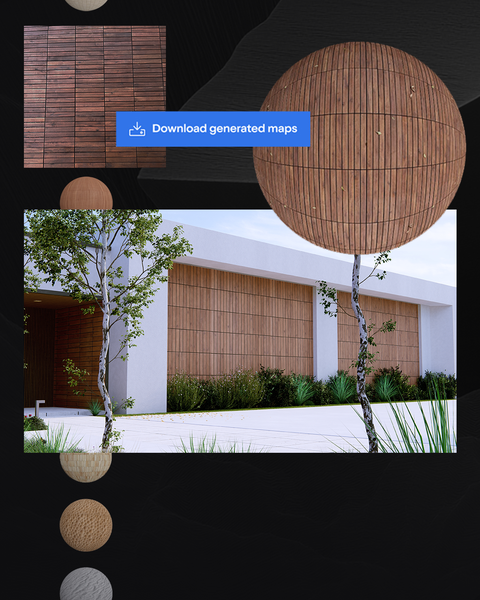
Upscale images and turn any inspiration into a ready-to-use material.
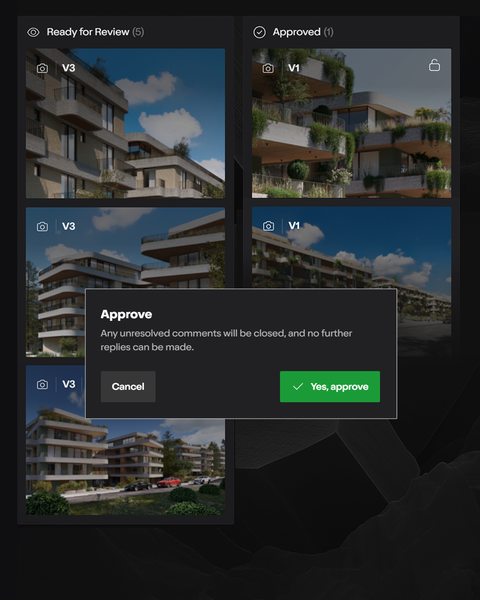
Track versions, project status, and approvals instantly.
Design faster, experiment freely, and stay in your creative flow, without ever leaving SketchUp. Test the Lumion View plugin on a real project today — free for 14 days.
Move from fast modeling in SketchUp to high-impact visuals that clients can instantly understand. Lumion Pro is the perfect fit when it's time to present, not just preview.
Lumion View: a SketchUp plugin that brings real-time rendering directly into your modeling environment. Add lighting, materials, and atmosphere without leaving SketchUp.
Lumion Pro: connects to SketchUp through the free LiveSync plugin. You can model and render simultaneously, or import your SketchUp models into Lumion Pro for advanced visualization.
Lumion Cloud: works alongside both View and Pro. Upload renders and panoramas to a secure, visual collaboration hub where clients and teams can review, comment, and make decisions together.
Lumion View is a lightweight, real-time design tool perfect for early-stage visualization directly inside SketchUp.
Lumion Pro offers advanced rendering capabilities with full creative control over context, realism, effects, and final output.
Use them together for a more connected workflow. With a Lumion Studio plan, you'll get access to both.
Absolutely! Lumion View provides a fast, intuitive way to explore and refine your design right from the start. When you're ready to add detail and build full environments, Lumion Pro has everything you need to bring your project to life.
Lumion View is available on the SketchUp Extension Warehouse. You can get it as a standalone subscription or as part of the Lumion Studio plan.
To purchase in the UAE and GCC, visit Medialogic's online store.
You can import your SketchUp model directly (.skp) or create a real-time connection with Lumion LiveSync, which allows you to model and render at the same time. When you make changes in SketchUp they are instantly reflected in Lumion.
Lumion LiveSync is a free plugin that creates a real-time connection between SketchUp and Lumion Pro. When you make changes to your model, they are instantly reflected in Lumion. You need a Lumion Pro plan to use LiveSync.
In addition to real-time LiveSync, Lumion supports native .skp files plus .dwg, .dae, .fbx, .obj, .gltf, .glb, and more — so you can import models from multiple sources into one Lumion project.
Contact Medialogic and our team will help you get started with the right plan for your workflow. You can also browse our tips and guides for helpful tutorials.
Lumion licenses are available through Medialogic, the official Lumion distributor for the UAE and GCC region. Purchase directly from our online store: